
Common job application data wasted is the effort, information, and time job seekers submit during hiring processes that never contribute to an interview or offer. The problem is widespread. 78% of resumes get filtered before a recruiter ever reads them, and 48% of job seekers apply to over 100 roles with little to show for it. Understanding where your application data disappears, and why, is the first step toward fixing it.
1. Common job application data wasted through poor role targeting
Applying to the wrong roles is the single biggest source of wasted application information. Tailored applications convert to interviews at 7–9%, while generic applications convert at just 2–3%. That gap is not small. It means you need 10–15 targeted applications to land one interview, versus 40–50 generic ones.
The "spray and pray" approach feels productive. You're submitting applications, checking boxes, moving fast. But volume without fit is just noise. Every application you send to a role where you match fewer than 60% of the stated requirements is data that goes nowhere.
- Target roles where your skills match at least 70% of the listed requirements
- Read the full job description, not just the title and salary
- Track your application-to-interview rate by role type to spot patterns
- Prioritize quality over quantity: 10 targeted applications outperform 50 generic ones
Pro Tip: Keep a simple spreadsheet with the role title, company, date applied, and whether you tailored your resume. After 20 applications, you will see exactly which targeting decisions are paying off.
2. Resume keyword mismatches that cause ATS data loss

Your resume contains real experience. The problem is how it is written. 82% of rejected resumes contained fewer than 50% of the required keywords, even when candidates had the actual experience. The ATS system could not match what you know to what the employer asked for.
This is a language problem, not an experience problem. Writing "worked with leaders" instead of "stakeholder management" loses points in ATS scoring. Writing "helped with budgets" instead of "financial planning" does the same. The system reads exact matches, not implied meaning.
- Copy the job description into a plain text document
- Highlight every skill, tool, and qualification listed
- Check your resume for exact matches, not paraphrases
- Replace implied language with the exact terms used in the posting
- Run your resume through a plain text editor to check how it parses
Pro Tip: Mirror the job description's exact phrasing wherever your experience genuinely matches. If the posting says "cross-functional collaboration," your resume should say the same, not "worked across teams."
The good news: only 8–9% of recruiters configure ATS to auto-reject based on content. Most rejections come from volume filtering and manual triage. That means fixing your keyword alignment and making your resume skimmable matters more than gaming a system.
3. Formatting errors that prevent ATS parsing
34% of ATS rejections stem from formatting errors that prevent the system from reading your resume at all. The content could be perfect. The format makes it invisible.
The most common offenders are multi-column layouts, images, text boxes, and contact information placed in headers or footers. Resumes with contact info in headers or footers often fail ATS parsing entirely. Floating text boxes cause data loss because the system reads them out of sequence or skips them completely.
The fix is straightforward. Use a single-column layout with standard fonts like Arial, Calibri, or Georgia. Put your name and contact details in the body of the document, not in a header. Avoid tables, graphics, and any design element that looks good on screen but breaks when parsed.
Pro Tip: Paste your resume into Notepad or a plain text editor. If the content reads cleanly in order, your ATS formatting is solid. If it looks scrambled, fix the layout before you apply anywhere.
4. Application form errors that trigger auto-rejection
Your uploaded resume is only part of the picture. Application forms serve as a separate filter, and errors like date mismatches or blank fields often cause auto-rejections before a recruiter ever sees your resume. Most job seekers treat forms as a formality. Recruiters treat them as a data submission.
Common mistakes that waste your application data include:
- Leaving optional fields blank when the role is competitive (blank fields signal low effort)
- Entering employment dates that do not match your resume exactly
- Answering eligibility questions incorrectly, especially work authorization fields
- Rushing through salary expectation fields without researching the range
- Submitting without reviewing, which leads to typos in critical fields like your email address
Every field in an application form is a data point. Treat it like a legal document, not a checkbox. Accuracy matters more than speed.
Application abandonment is another major source of wasted effort. Every extra field in an application form reduces completion rates by 3–5%. Mobile applications have especially low finish rates. If you start an application on your phone and abandon it, that partial data is often lost entirely. Finish applications on desktop when the form is long.
5. Ignoring your own application metrics
Most job seekers have no idea what their application-to-interview rate is. That is a problem. Without tracking, you cannot tell whether your rejections come from poor targeting, weak keywords, bad timing, or something else entirely. You keep repeating the same mistakes because you have no signal telling you to stop.
Career experts recommend targeting a 7–9% interview conversion rate on tailored applications. If you are well below that, something specific is broken. Tracking helps you find it.
- Record every application: role, company, date, resume version used, and whether you heard back
- Note the response lag: roles that go silent within 48 hours often had a strong internal candidate
- Flag roles where you got a phone screen but no further progress, those are fit or salary issues
- Review your data every 20 applications and adjust your targeting or resume accordingly
Pro Tip: A simple Google Sheet works fine. You do not need a fancy tool. What you need is consistency. Reviewing your own job seeker data every two weeks turns a frustrating process into a feedback loop.
The false sense of progress from high application volume is one of the most common hiring data mistakes job seekers make. Sending 80 applications and getting 2 responses feels like effort. It is actually a signal that something is wrong.
6. Security risks from leftover application data
Wasted application data does not just cost you time. It can cost you security. Locally cached and saved application data creates identity and access management risks that go beyond simple privacy concerns. When you save your progress on an application form and abandon it, that session data can be exploited.
Attackers can access saved form data and session remnants even after you walk away from an application. This is especially true on shared or public computers. The risk is real and underappreciated.
ATS vendor shutdowns add another layer of risk. When an employer's ATS provider goes out of business, candidate data can be lost without migration. The employer is the data controller, but you have no guarantee your records survive. Keep offline copies of every resume version you submit, every cover letter, and every application form response. That record protects you both professionally and personally.
Practical steps to protect your application data:
- Never save application progress on a public or shared computer
- Use a password manager to avoid reusing credentials across job board accounts
- Keep a local folder with dated copies of every resume version you submit
- Screenshot or save PDF copies of application confirmation pages
7. Wasting tailored resume versions by not saving them
Every time you tailor a resume for a specific role, you create a document with real value. Most job seekers save one version and overwrite it the next time. That is job application data loss in its most literal form.
A tailored resume for a project management role at a tech company is not the same document as one for a similar role at a nonprofit. The keywords differ. The framing differs. The accomplishments you lead with differ. Overwriting that work means you cannot reuse it, reference it, or learn from it.
Build a simple folder system. Name each resume file with the company name, role title, and date. Keep every version. When you apply to a similar role six months later, you have a starting point instead of starting from scratch. This habit alone cuts your per-application time significantly.
8. Skipping the cover letter when it matters
Cover letters are not always required. When they are optional, most job seekers skip them. That is a missed signal. For roles where cultural fit, communication skills, or career narrative matter, a cover letter is a data point that differentiates you from candidates with identical resumes.
The waste here is not writing a bad cover letter. The waste is leaving the field blank when a well-written paragraph could have moved you forward. Recruiters facing up to 2,000 applicants for one role look for any reason to advance a candidate. A specific, direct cover letter gives them one.
Keep a master cover letter template with three paragraphs: why this role, why this company, and what you bring that is specific to both. Customize the middle paragraph for each application. The whole process takes under 10 minutes and recovers data that would otherwise go to waste.
9. Applying without researching the role's hiring timeline
Timing is a real variable in hiring. Applying to a role that was posted six weeks ago and has already moved to final interviews is wasted effort. Applying to a role posted within the first 48 hours gives you a measurable advantage because your application arrives when the recruiter is actively reviewing.
Check posting dates before you apply. Roles posted more than 30 days ago on most platforms are either filled, stalled, or have a very high bar for late applicants. Prioritize fresh postings. Set up job alerts with filters that surface new roles daily so you can act early.
This is one of the most overlooked ways to optimize job applications without changing a single word of your resume.
10. Not using application data to inform your next search
Every application you submit generates information. Did the role match your skills? Did the salary range align with your expectations? Did the company culture seem like a fit based on the job description? Most job seekers treat each application as a one-way transaction. The smarter move is to treat it as research.
After 30 applications, you have enough data to answer real questions. Which industries respond to you most? Which role titles match your background best? Which companies never respond, and what do they have in common? That pattern is your next job search strategy. Ignoring it means starting from zero every time.
Understanding how job board data shapes hiring helps you see your own applications as signals, not just submissions.
Key Takeaways
The most common job application data wasted comes from poor role targeting, keyword mismatches, and form errors that eliminate candidates before any human review occurs.
| Point | Details |
|---|---|
| Target before you apply | Tailored applications convert at 7–9% versus 2–3% for generic ones. |
| Fix keywords, not just formatting | 82% of rejected resumes lacked enough keyword matches despite real experience. |
| Treat forms as data submissions | Date mismatches and blank fields trigger auto-rejections before recruiter review. |
| Track your own metrics | Monitor your application-to-interview rate every 20 applications to spot patterns. |
| Save every resume version | Keep dated copies of tailored resumes to reuse, reference, and protect your data. |
What I have learned from watching job seekers waste their own data
I have seen job seekers send 150 applications in a month and land zero interviews. I have also seen someone send 12 targeted applications and get 4 phone screens. The difference is never luck. It is always process.
The mindset shift that matters most is treating your application as a data submission, not a form you fill out. Every field, every word choice, every resume version is a signal. When you treat it that way, you stop wasting it.
What frustrates me is how fixable most of this is. The keyword problem takes an afternoon to solve. The tracking problem takes a spreadsheet and 10 minutes a week. The form accuracy problem takes one extra pass before you hit submit. None of this requires a career coach or a paid service. It requires attention.
The job seekers who get results in 2026 are not the ones applying the most. They are the ones who treat each application like it costs something, because it does. Your time, your data, and your professional reputation are all on the line every time you submit.
— Eric
Earnhire turns your application effort into measurable value
Most job boards take your data and give you nothing back. Earnhire works differently. Every tailored resume, saved role, and application you submit builds your data worth, the kind of insight employers actually use to make hiring decisions.
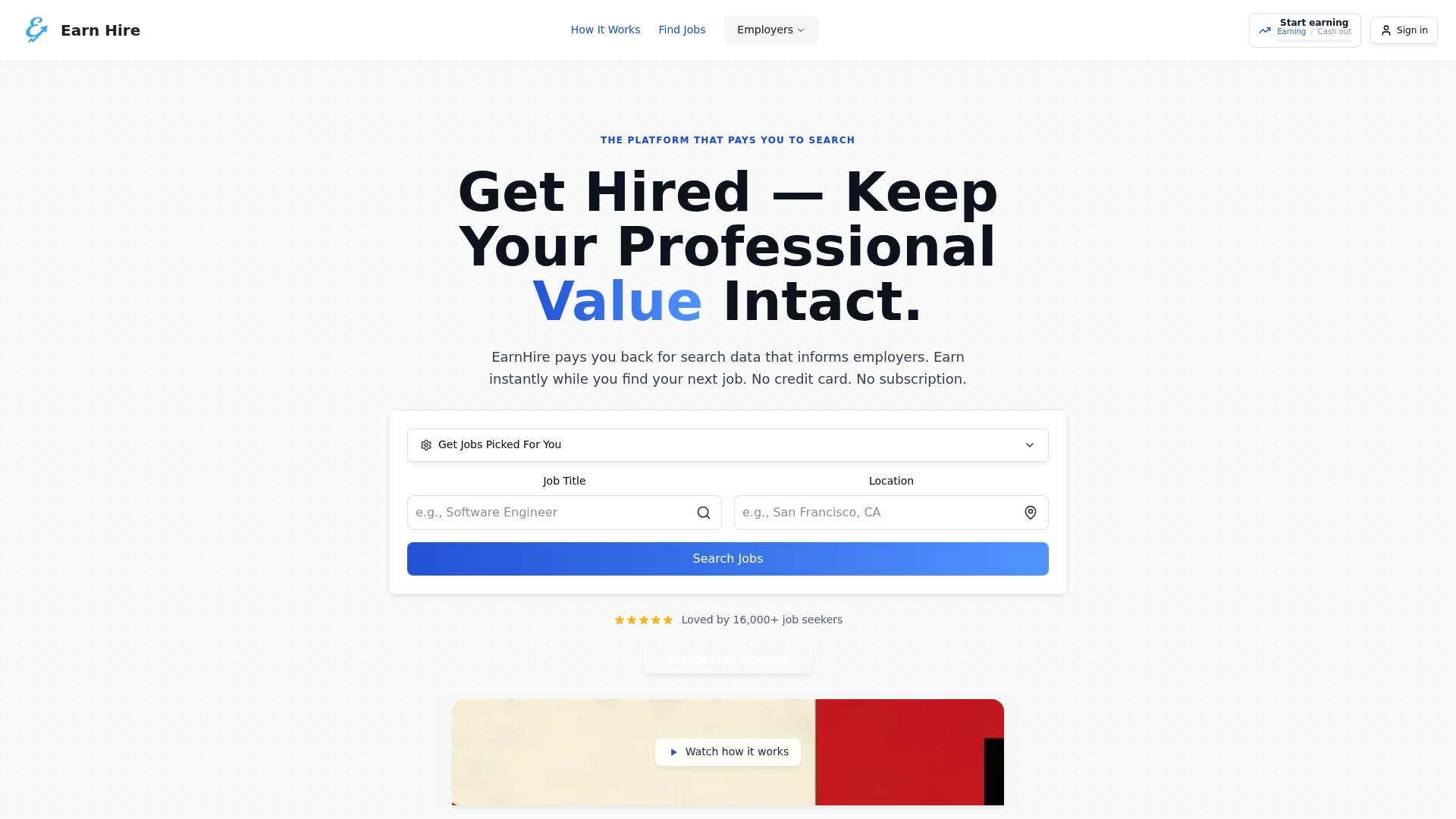
Earnhire's resume tools help you build ATS-compatible documents with the exact keyword alignment that gets past filters. The guided job search keeps your targeting sharp and your conversion rate visible. And unlike traditional boards, Earnhire compensates you for the work of searching. Your effort is never wasted here. Start building your data worth today.
FAQ
What is common job application data wasted?
Common job application data wasted refers to the effort, information, and time job seekers submit that never contribute to an interview or offer. The main causes are poor role targeting, keyword mismatches, and form errors.
Why do most resumes get rejected before a recruiter reads them?
78% of resumes are filtered before recruiter review, primarily due to ATS volume filtering and formatting issues rather than content auto-rejection. Fixing keyword alignment and layout solves most of this problem.
How many applications should I send to get an interview?
Tailored applications convert at 7–9%, meaning 10–15 targeted applications typically produce one interview. Generic applications require 40–50 submissions for the same result.
What application form mistakes cause auto-rejection?
Date mismatches between your form and resume, blank required fields, and incorrect eligibility answers are the most common triggers for automatic rejection before recruiter review.
How do I protect my application data after submitting?
Keep offline copies of every resume version, cover letter, and application confirmation. Avoid saving application progress on shared computers, and maintain a personal record of every role you apply to.